Agents and Model Selection
2. Working with Agents and Models
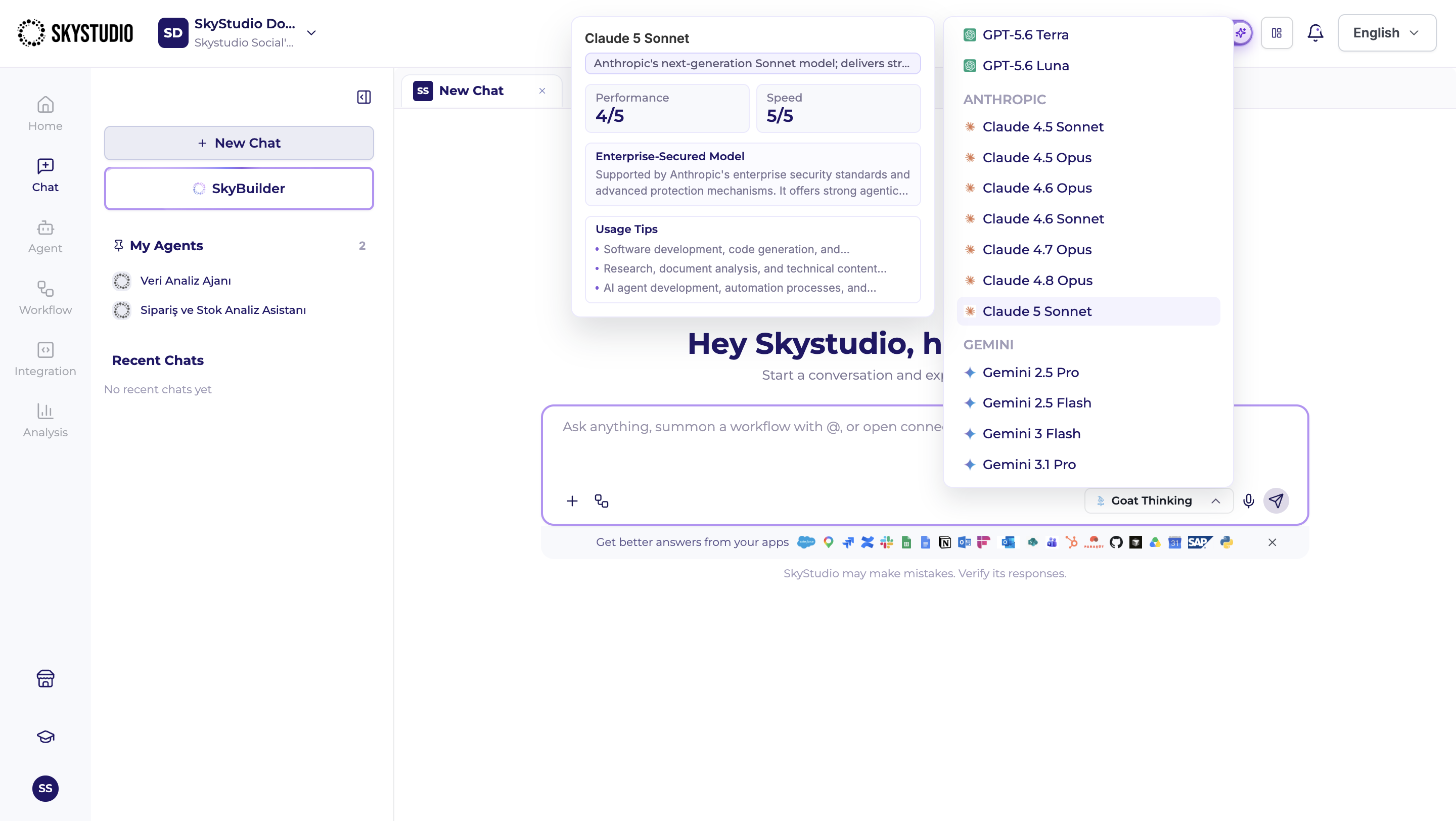
In addition to standard chats, SkyStudio Chat allows you to interact with the agents you have created and use different AI models based on the requirements of your task.
2.1. Chatting with Agents
You can access your created agents from the My Agents section in the left panel of the Chat screen.
To start a new conversation with an agent, click the name of the relevant agent.
When interacting with an agent, responses are generated according to the instructions, model settings, knowledge sources, actions, and other configurations defined when the agent was created.
For example, a data analysis agent can be used to analyze uploaded data, while an agent configured with knowledge sources can use the provided sources to answer user questions.
2.2. Model Selection
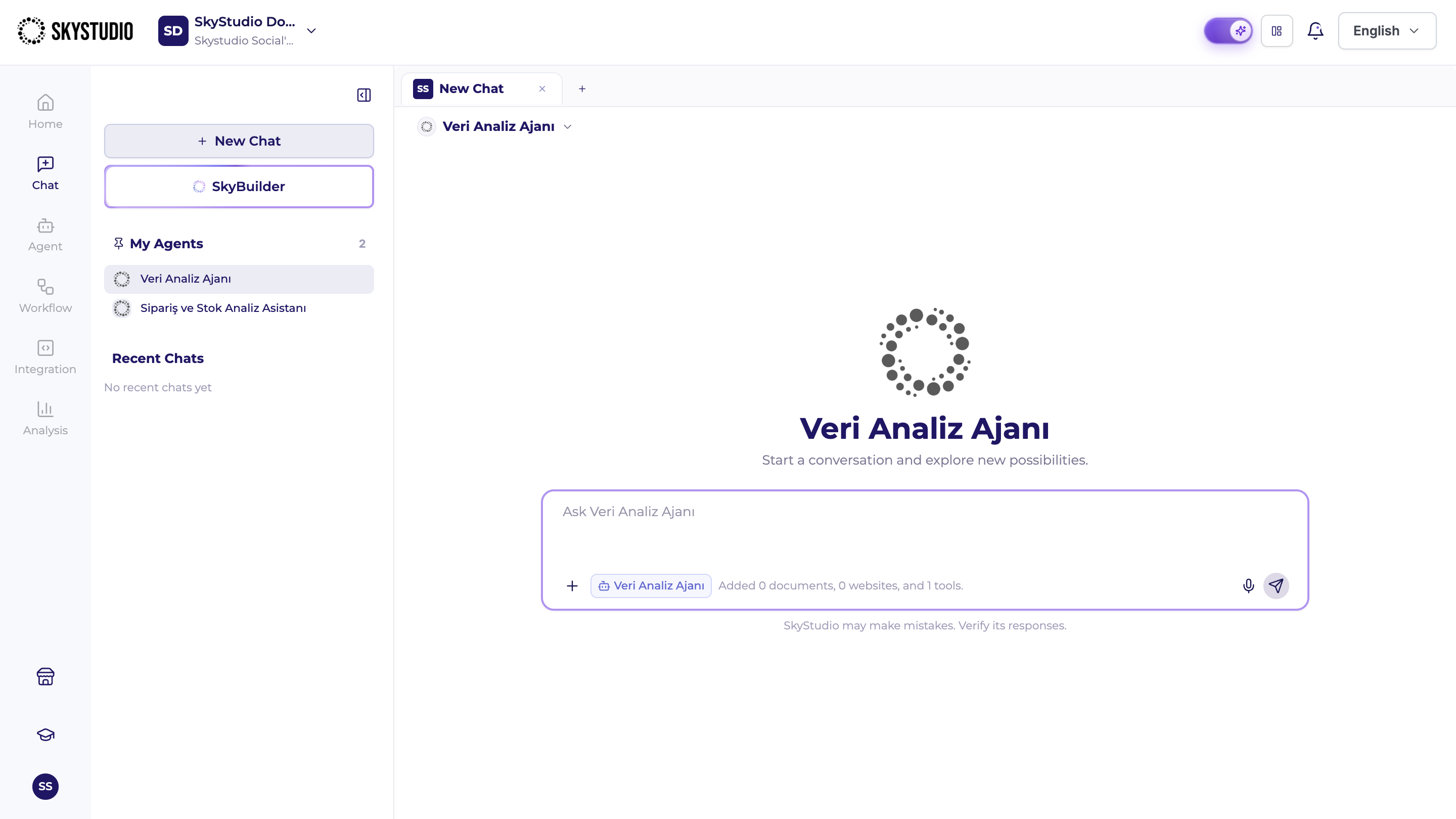
You can change the AI model used during a conversation from the Model Selection section in the message input area.
Click the model field to view the models available in SkyStudio. You can then select the model that best suits the task you want to perform.
Different models may offer different capabilities in terms of speed, performance, and recommended use cases. When you hover over a model option, additional information such as the model's performance, speed, and recommended use cases may be displayed.
This information can help you select the most appropriate model for your task. Faster models may be preferred for short and simple tasks, while higher-performance models may be more suitable for complex or comprehensive tasks.
You can change the selected model before sending your message.