
Using Connectors
5. Using Connectors
SkyStudio Chat supports connectors that allow you to use information from connected applications and services during conversations.
With connectors, you can use content from available external sources in your chats without uploading it separately to SkyStudio.
5.1. Accessing Connectors
To access connectors, click the + icon in the message field and select Connectors from the menu.
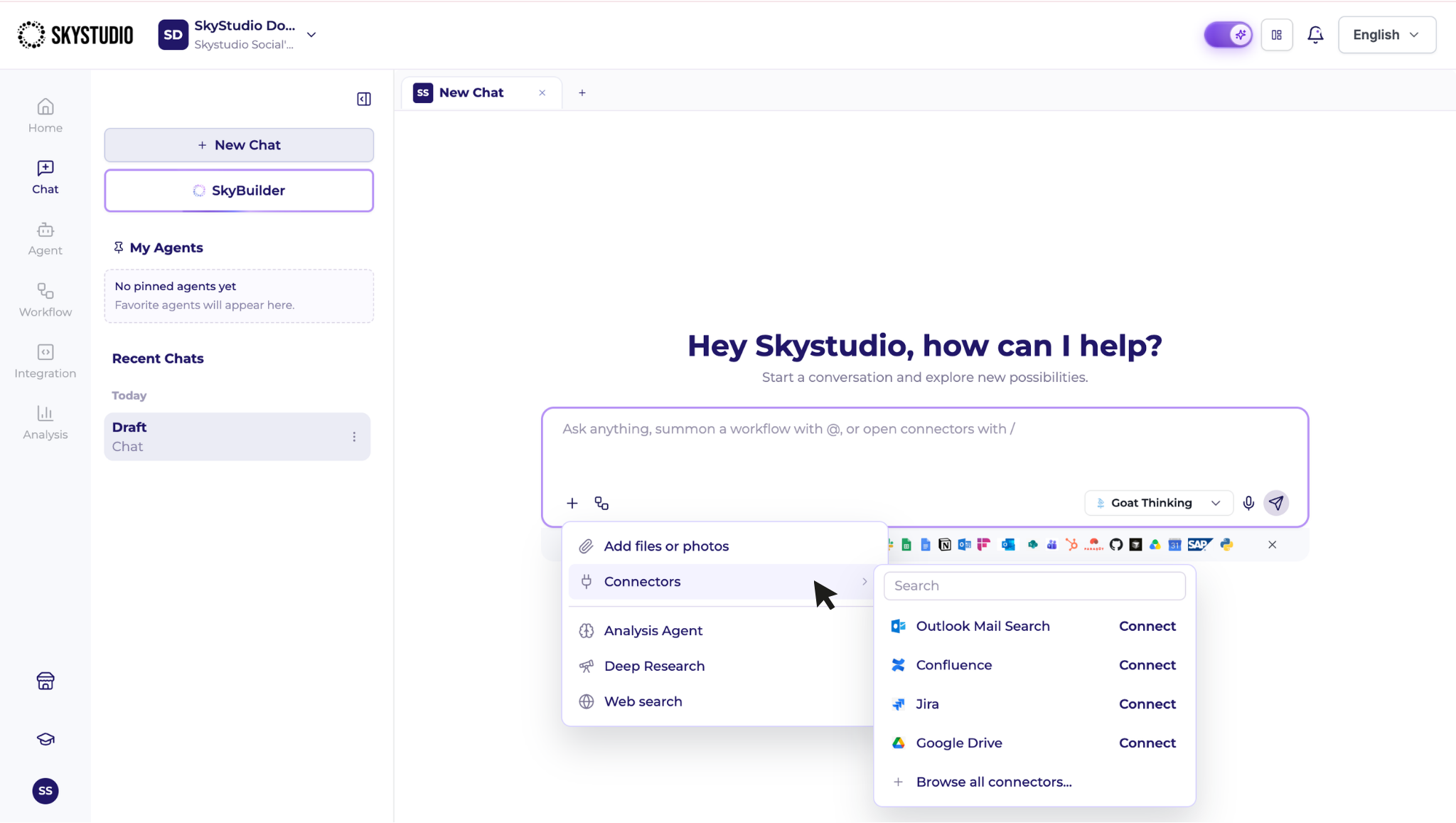
You can select the relevant application or service from the available connectors and use it in your conversation. Available connected applications may also be displayed below the message field.
5.2. Connector Availability
The connectors available to you may vary based on the integrations configured in your workspace and your access permissions.
As a result, the connector options displayed may differ between users and workspaces.
5.3. Managing Connections
A connector may need to be configured in the workspace before it can be used. Connections are managed centrally in the Credentials section.
For each connection, this section displays the connection name, provider, access level, status, and last updated date.
When adding a new connection, complete the required connection details for the selected provider.
To review connection access and status, or to add a new connection, refer to the Credentials page.